ByteForge app icon: mint-green code brackets on a dark background.

A Java IDE for Android

ByteForge

Code anywhere. Run it for real. Write Java on your phone, compile it with the real Java 25 compiler, and run it right there, from console programs that ask for input to Swing windows you can tap. Every project also gets its own real PostgreSQL database.

  • Android
  • Java 25
  • PostgreSQL
  • Works offline

No ads, no accounts, no internet needed. For Android 10 or newer.

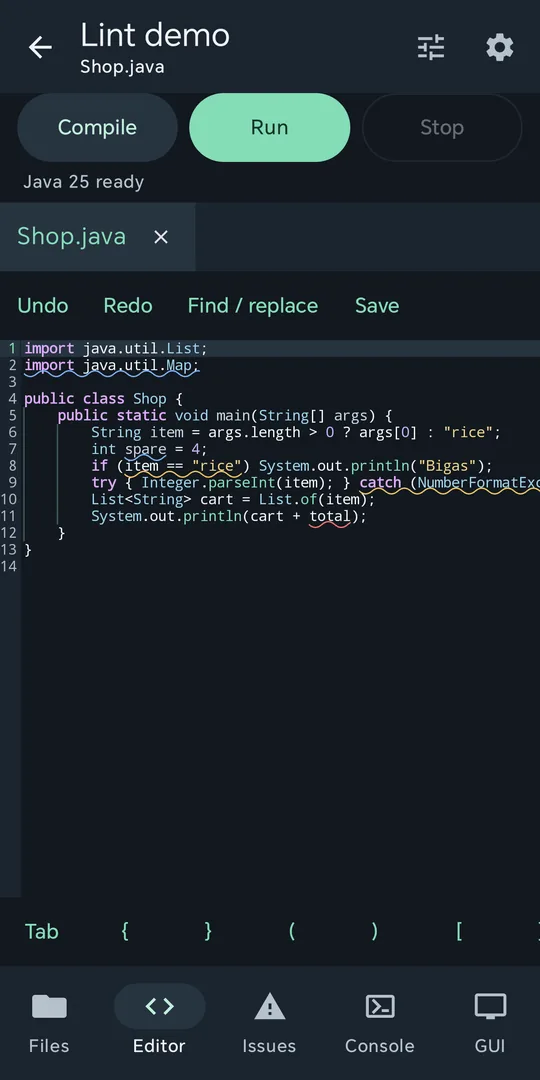
The ByteForge editor with a Java file, its code checks underlined.
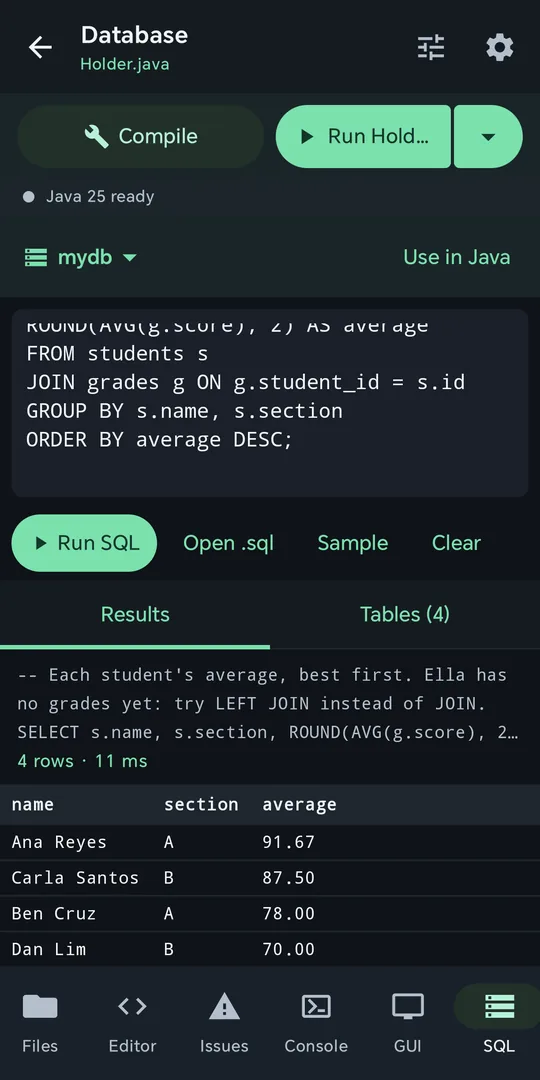
The SQL tab showing each sample student's average grade in a results table.
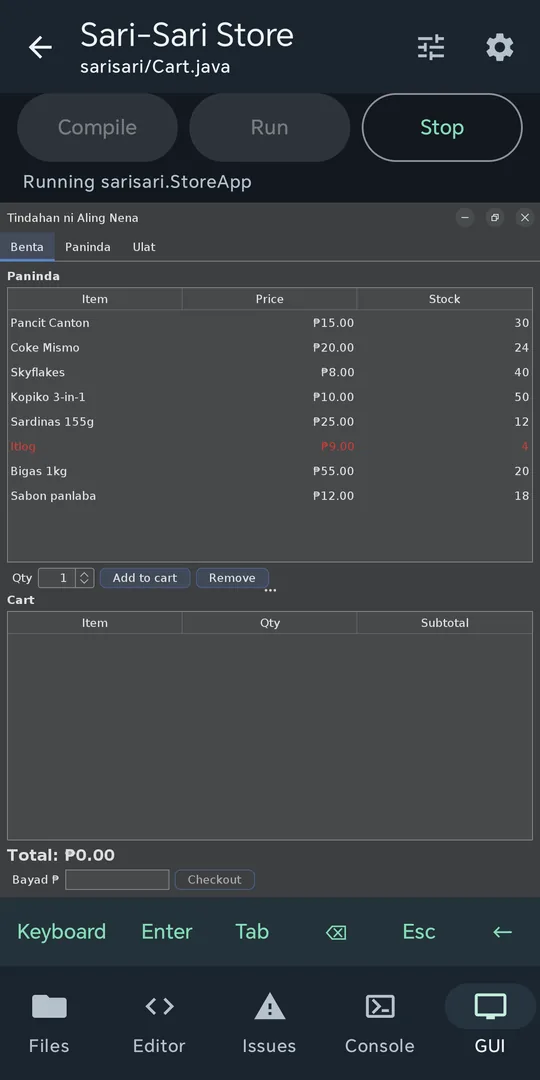
A Swing store app, Tindahan ni Aling Nena, running inside ByteForge with a product table and a cart.

Write it.
Run it.

These are screens from ByteForge on a phone. The store is a Swing program, written and run inside the app.

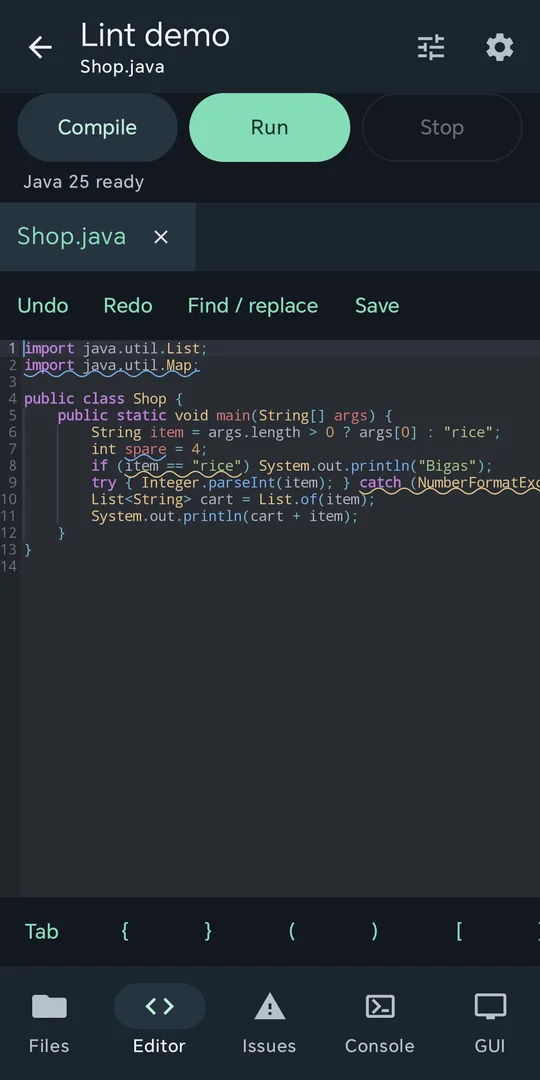
The editor in the One Dark theme with highlighted Java code.
Highlighted editor
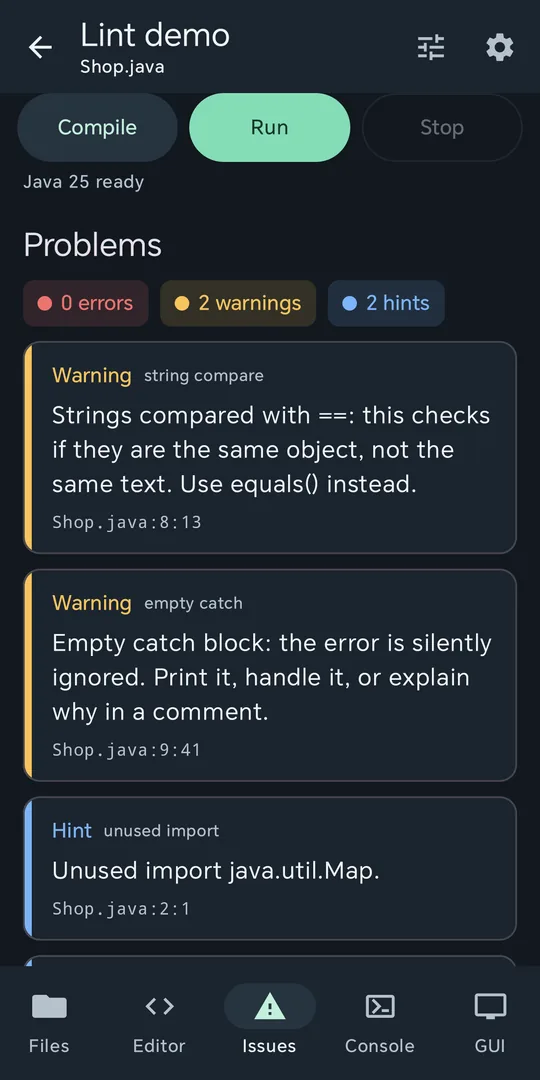
Problems tab: a string compared with ==, an empty catch block, and an unused import.
Checks as you type
A Swing store window with a product table, quantity picker, and cart.
A real Swing app
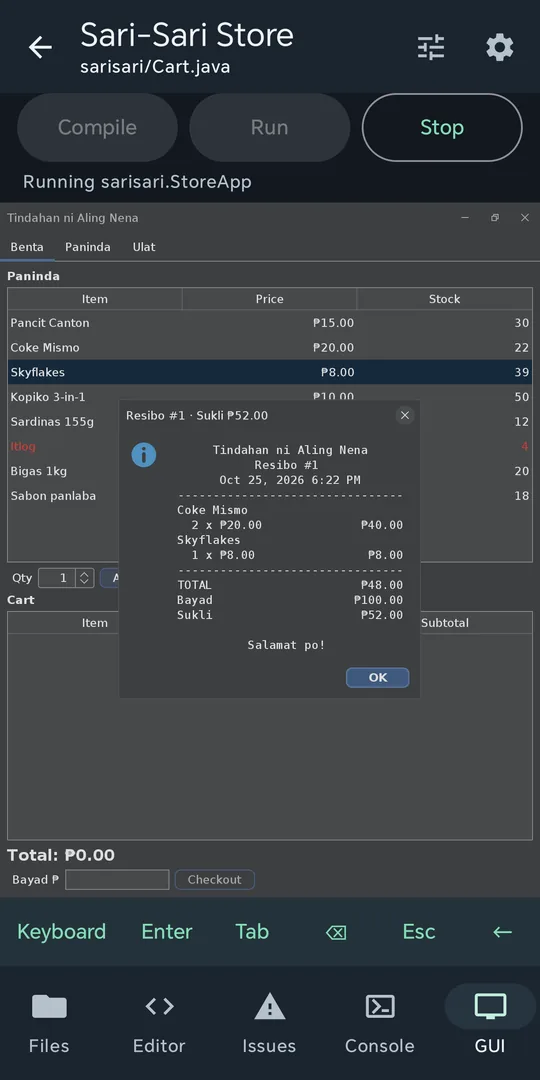
The store app's receipt dialog listing items, total, payment, and change.
Dialogs and all

Debug it.
Rewind it.

Step through a running program line by line, see what every variable holds, and roll any file back to an earlier version.

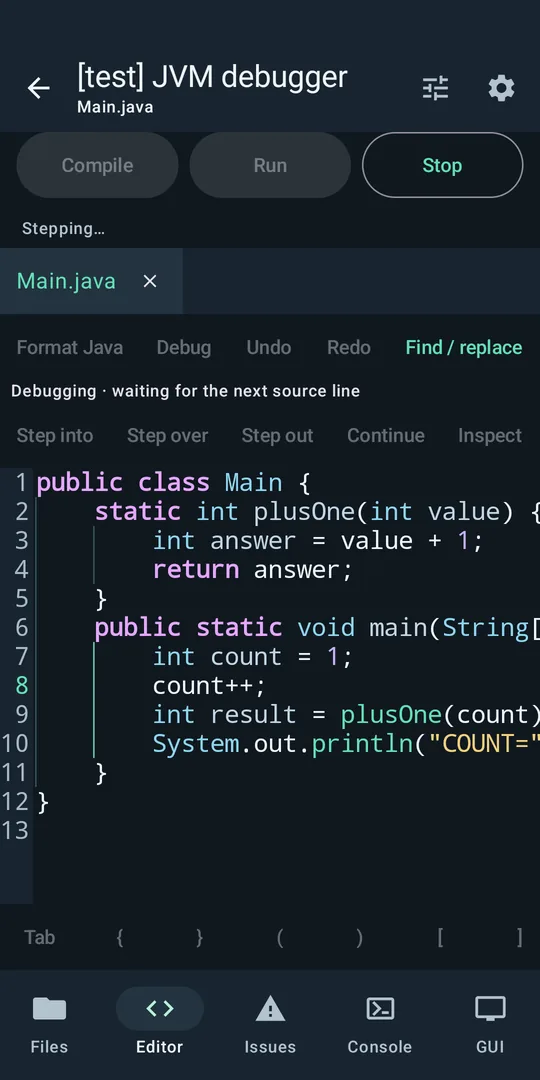
The debugger stepping through a Java program, with Step into, Step over, Step out, Continue, and Inspect controls.
Step through it
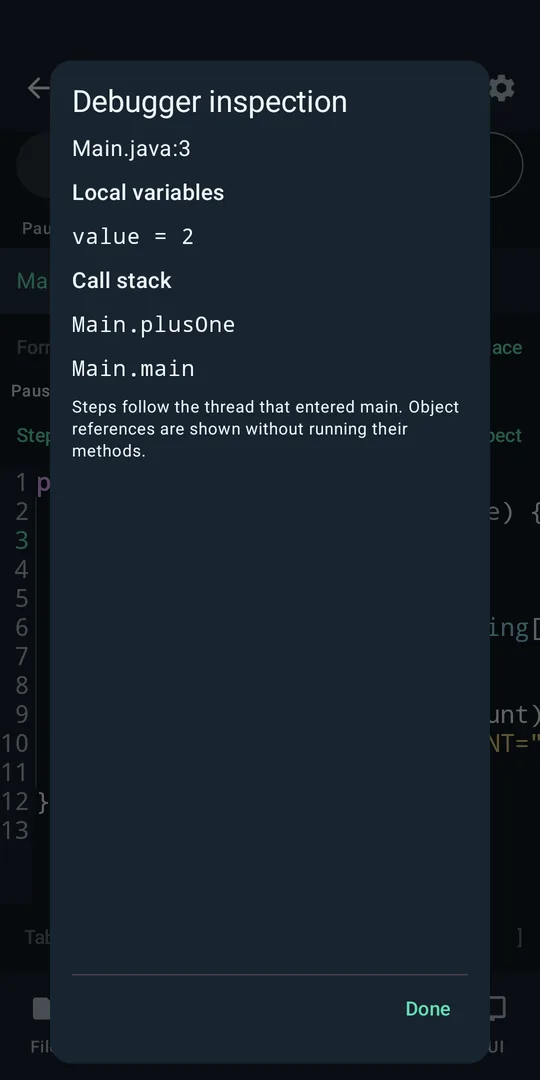
Debugger inspection showing the current line, a local variable, and the call stack.
Locals and call stack
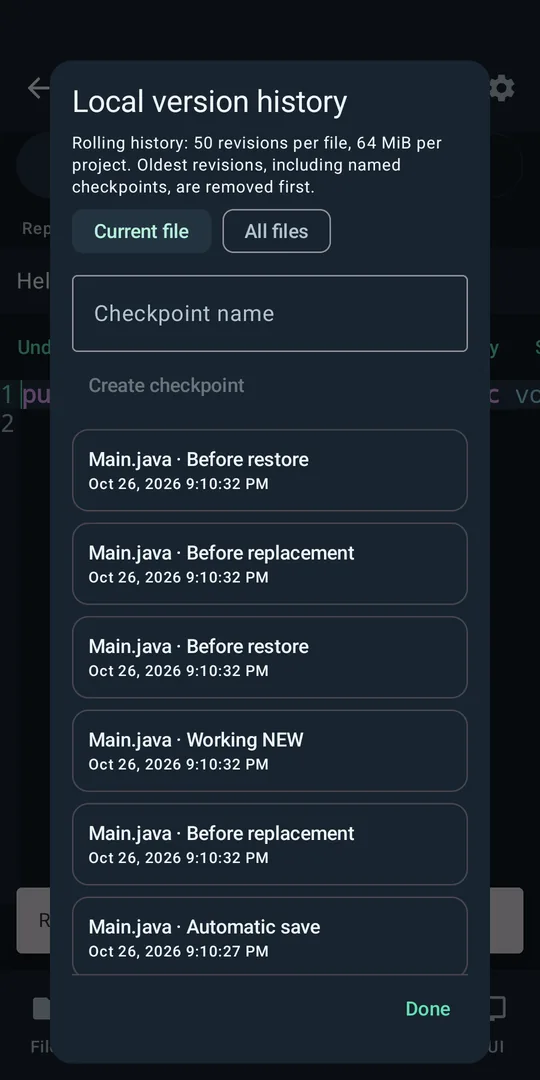
Local version history listing saved revisions of Main.java, with a field to name a checkpoint.
Every version kept
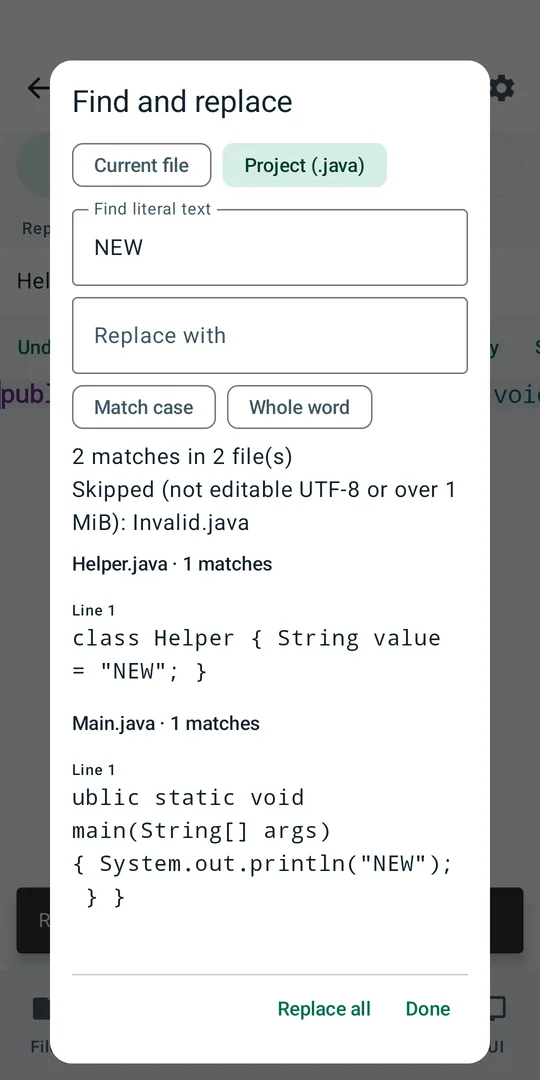
Find and replace across the project, showing matches in two Java files.
Find across files

Store it.
Query it.

Every project gets its own real PostgreSQL 18 server, with nothing to install and no internet needed. Run SQL in its own tab, or connect from your Java program.

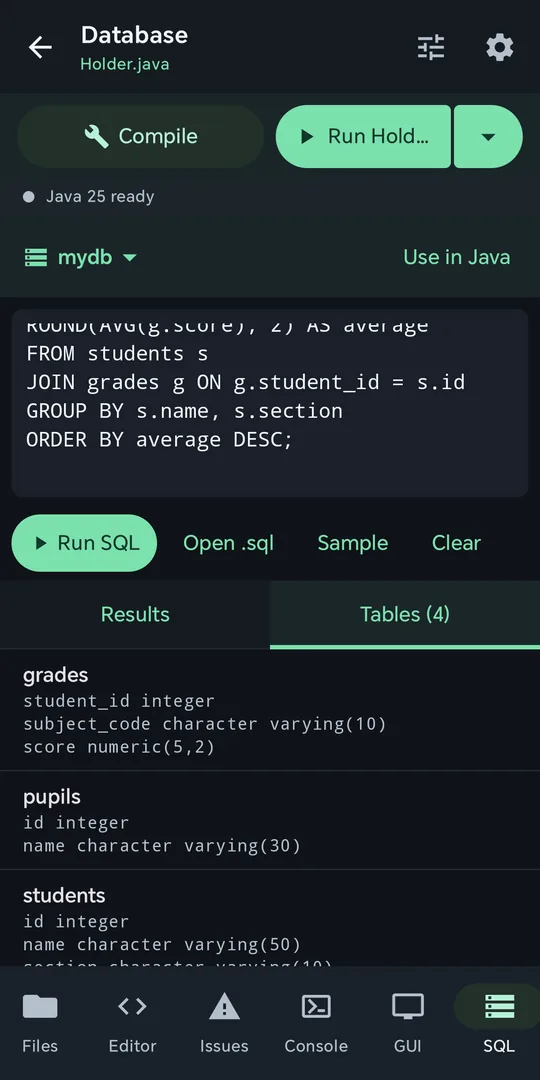
The SQL tab with a query joining students and grades, and each student's average in a results table.
Results in a table
The Tables list showing the grades, pupils, and students tables with their columns and types.
Every table listed
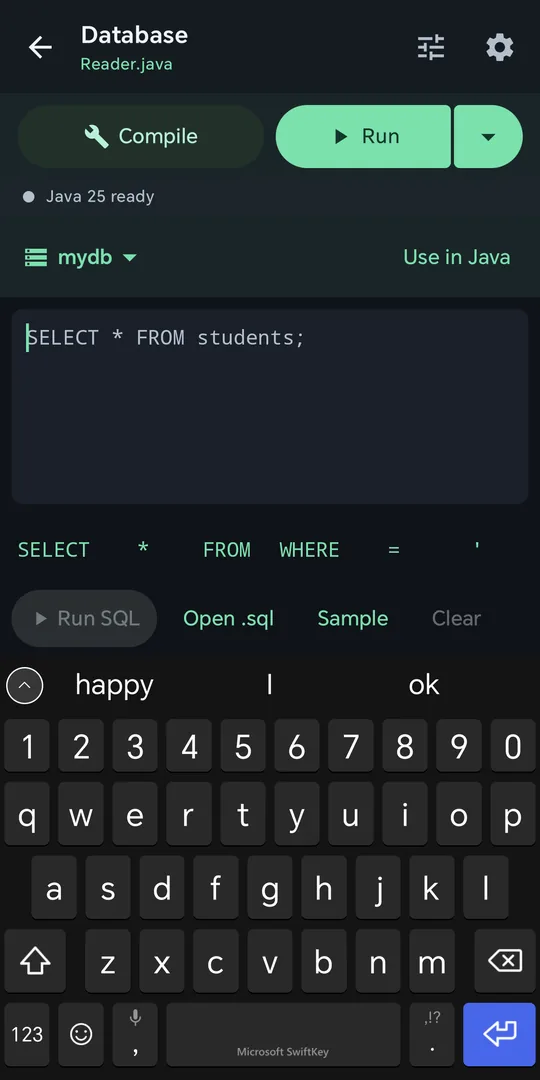
Typing a query, with a row of SQL words such as SELECT, FROM, and WHERE above the keyboard.
SQL words on hand
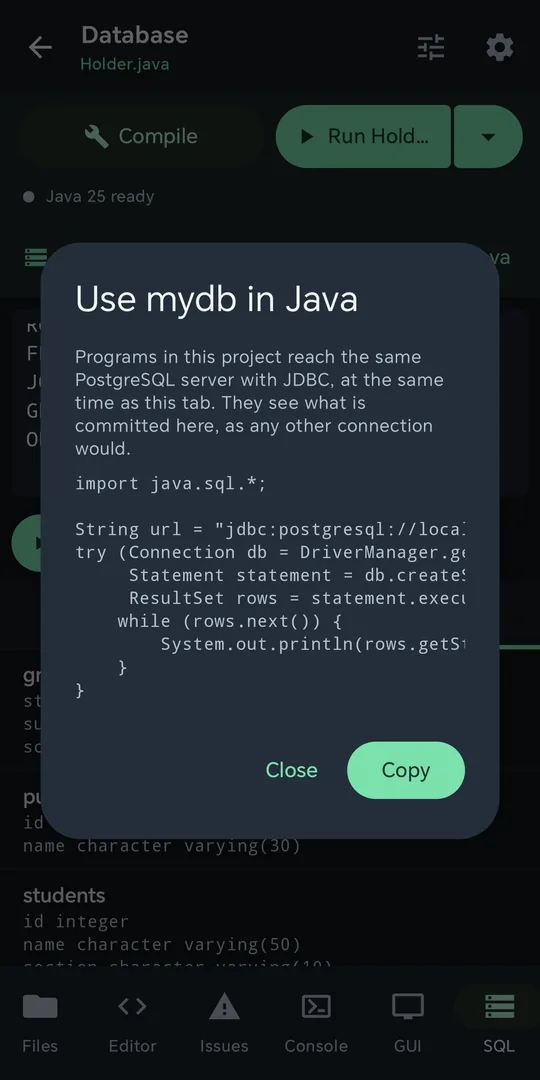
The Use in Java dialog showing JDBC code for the mydb database, with a Copy button.
JDBC code, ready to copy

A tab just for SQL

Run a script and read the results in a table. List your tables, open .sql files from your project, or load a small school database with Sample to practice on. psql’s \c, \l, \dt, and \d work too.

Databases aren’t in ZIP exports or file history, and deleting a project deletes them, so keep anything worth saving in an .sql file.

Your programs, too

Connect with JDBC and a standard jdbc:postgresql URL, with no driver to add. Your program and the SQL tab use the same server at the same time, so transactions and locks behave as they do on any PostgreSQL server.

Use in Java shows the code, and the Database (JDBC) template is a complete program.

A real IDE
in your pocket

Not a simulator.

ByteForge carries OpenJDK 25 and PostgreSQL 18 inside the app. The real javac compiles your code, a real JVM runs it on your phone’s processor, and a real database server answers its queries. No remote compiler, no Termux, no root, and no computer needed.

01

Java 25, for real

Records, sealed types, pattern matching, text blocks, var, and the new compact source files with a simple main. The compiler stays loaded between builds, so rebuilding is quick.

02

Made for thumbs

Syntax highlighting, a grouped toolbar, and a key bar for the brackets and symbols your keyboard hides. In landscape, quick actions stay in reach while you type. Pick from 7 editor themes, from GitHub Light to Dracula and Nord, and set your font size.

03

Mistakes, caught early

As you type, ByteForge checks your code: red errors, amber warnings, and blue hints, right in the editor. It also spots strings compared with ==, empty catch blocks, unused imports, and unused variables. Filter the Problems list by severity.

04

A console that talks back

Programs that read input work like a terminal: type a line and press Enter, or send EOF. Run starts your project’s main class whichever file is open, and the button names it; its arrow switches to another. Save program arguments and a working folder too, then rerun, stop, clear, or copy the output.

05

Swing and AWT windows

Frames, buttons, text fields, dialogs, and Graphics2D drawings open inside the app with a modern FlatLaf look. Tap, type, scroll, zoom, and maximize or minimize windows.

06

Projects that keep

Pick up where you left off from the home screen, or start from one of 7 templates. Multi-file projects with packages and folders: tap a folder to create or move files there, with no paths to type. Import and export as ZIP or .java files, and search across the project. Unsaved edits are recovered if the app closes.

07

Step through it

Debug offline with Step Into, Step Over, Step Out, and Continue. See local variables and the call stack, and follow your code into Swing callbacks and worker threads.

08

Every version kept

ByteForge keeps a local history of your files as you work. Name a checkpoint, compare versions, and restore one, even for a file you deleted.

09

Find it, tidy it

Find and replace in one file or across every Java file in the project, with a preview first. Format tidies a file in Google Java Format’s four-space style, compact source files included, and never touches what’s inside a text block. Snippets drop in loops, try/catch, or pieces you saved yourself.


More screen,
more room

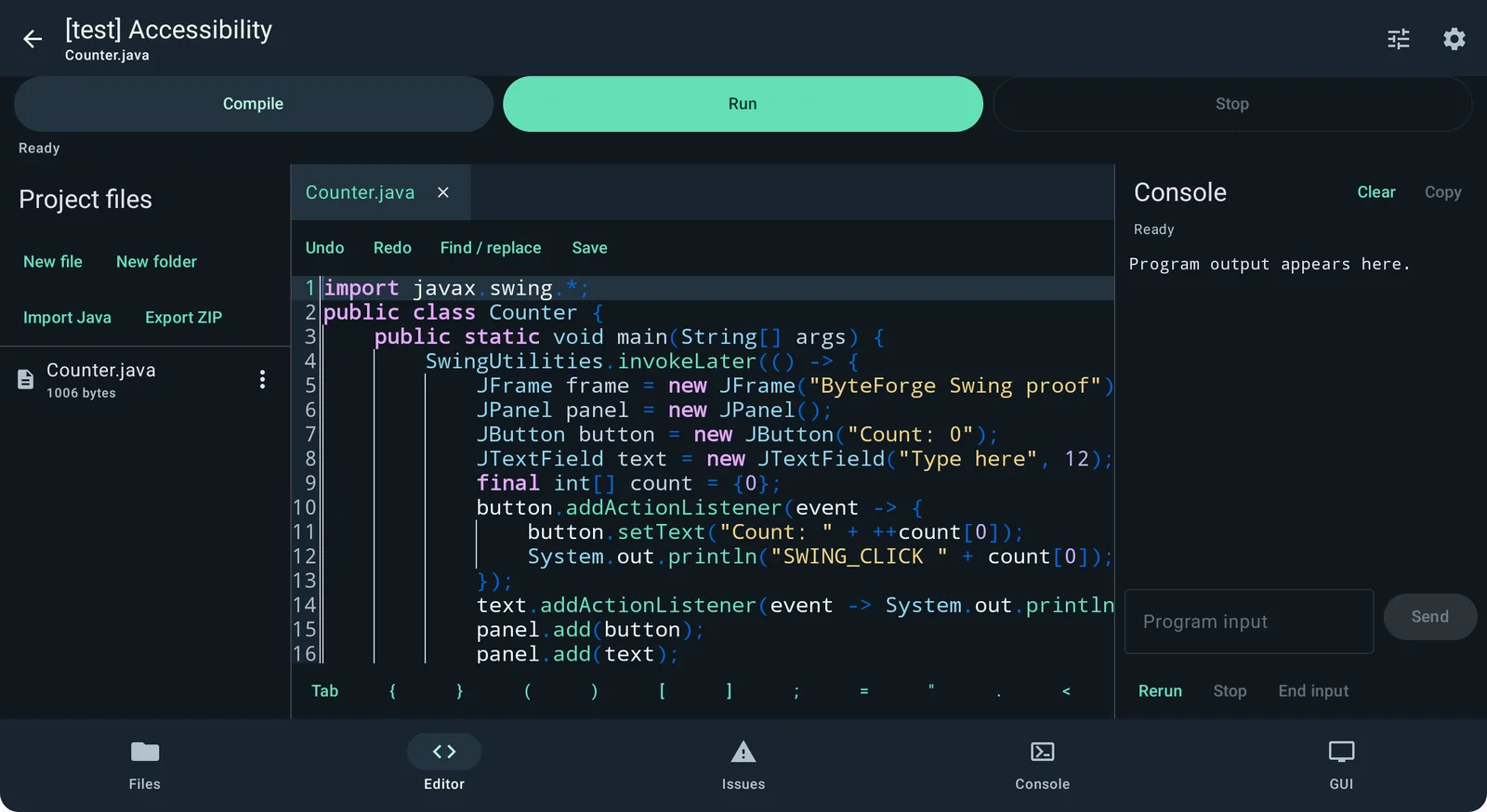
Turn your phone sideways or open ByteForge on a tablet, and your files, code, and console fit side by side.

ByteForge on a tablet: project files on the left, a Swing counter program in the editor, and the console on the right.
ByteForge on a tablet

A little more to know

What you need

Android 10 or newer on a 64-bit phone or tablet. The first compile sets up the Java runtime once, which takes a little while. The first database use in a project takes a little longer too, and each project that uses a database stores about 40 MB. JavaFX, sound, and OpenGL aren’t supported.

Your code stays yours.

ByteForge has no internet access, and your programs run sealed in Android’s sandbox, away from your other projects. Learn how ByteForge handles your code and projects.

Read the privacy policy

Say hi.

A bug in your code, or in mine? Questions, feedback, or something you built with ByteForge. I’m all ears.

Message me on Facebook